HUB 06 · Guides & Answers
How to Use a Countertop Oven as a Dehydrator
Drying needs two published numbers: a low enough temperature floor and a long enough timer. A named Dehydrate button is neither, and the ovens that have the button mostly do not have the numbers.
We earn a commission if you buy through our links. It does not change the price you pay, and it does not decide our picks — the scoring rubric is published in full, including what disqualifies an oven. How this works.
The short answer
Two ovens in this catalog publish specifications that make drying genuinely possible: the Our Place Wonder Oven Pro, which publishes a floor of 80°F and a timer Our Place states runs from 30 seconds to 24 hours, and the Breville Joule Oven Air Fryer Pro (BOV950), which publishes a band of 80–480°F. Everything else either publishes a floor too high, a timer too short, or no figures at all — whatever the dial says.
That is the whole guide in one paragraph, and the rest of this page is why a Dehydrate button is not evidence.
The two numbers that decide it
The floor. Drying works by moving warm air across food for hours without cooking it. Holding a low set point is harder for an oven than getting hot, because a thermostat at the bottom of its range is switching a large element on and off against a small demand. An oven whose published floor is 200°F is not a dehydrator with a different label on it; it is an oven that bakes slowly.
The timer. Drying is measured in hours. An oven whose timer stops at 60 minutes cannot do it unattended, and restarting a cycle every hour for eight hours is not a workflow.
Here is where every oven in this catalog that publishes either figure actually lands.
| Oven | Published floor | Published timer | Named Dehydrate mode? |
|---|---|---|---|
| Our Place Wonder Oven Pro | 80°F | 30 seconds to 24 hours | Yes |
| Breville BOV950 | 80°F | Not published | Yes |
| Breville BOV680 | 120°F (Bake & Roast) | Not published | No |
| Breville BOV845 | 120°F (Bake & Roast) | Not published | No |
| Instant Pot Omni Plus | 170°F | Not published | Yes |
| Our Place Wonder Oven (standard) | 200°F | 60 minutes | No |
| Hamilton Beach Sure-Crisp 31403 | 200°F | Not published | No |
| Nuwave Bravo XL Pro | 50°F | Not published | No |
| Toshiba ChefFry | Not published | Not published | Yes |
The finding: the button and the numbers come apart
Four ovens in this catalog carry a named Dehydrate mode. Only one of those four also publishes both a low floor and a long timer. The Toshiba ChefFry publishes a twelve-function list including dehydrate and proof, and publishes neither a temperature range nor a timer ceiling we could find — so the label is the entire specification.
Meanwhile the Nuwave Bravo XL Pro publishes the lowest floor of anything here — 50°F, in 5°F increments — and does not carry a Dehydrate label at all. On published information it is better equipped for the job than three of the four ovens that advertise it. We cannot tell you what its timer ceiling is because Nuwave does not publish one.
This is why the standard Our Place Wonder Oven is such a clean illustration. Its published floor is 200°F and its timer stops at 60 minutes, and no mode on the knob changes either figure. The Pro, which looks like the same appliance, publishes 80°F and 24 hours — and that single pair of numbers is the entire functional difference between an oven that can dry and one that cannot. The Pro review goes through both specifications.
What a long, low cook costs to run
This is the part that surprises people, and it is arithmetic rather than opinion. Drying is cheap per hour and expensive per session, because the session is long. An oven holding a low set point draws nothing like its rated wattage continuously — the thermostat is cycling — but it is still on for eight or ten hours.
We publish the per-hour figure for every oven whose maker publishes a wattage, with the electricity rate exposed so you can redo it with your own: air fryer oven electricity use and convection oven electricity use. Multiply the hourly figure by the hours and treat the result as a ceiling rather than an estimate, because a cycling thermostat at 80°F is not drawing full power.
What we will not do is publish a drying time or a temperature for any food. We have dried none, and a figure we cannot source is a figure we do not print. Use the guidance that comes with your own oven and with whatever you are drying.
Practical points that are published
Airflow matters more than heat. Drying removes water, and water leaves with the air. That is the one argument for using the convection fan here rather than switching it off. What the fan is actually doing.
Trays, not a pan.Food needs air on both sides, which means a wire rack, and the number of rack levels is a published figure on several ovens here — four on the Nuwave, three on the Wonder Oven Pro, eight rack positions in Breville's book for its larger models. The published rack maps are here.
Ten hours is ten hours of an appliance running unattended.Nuwave's manual says never leave the oven unattended during use, and both Nuwave and Our Place publish automatic shut-offs that may interrupt a long cycle. Read your own manual before you plan an overnight run — it is the single most relevant document and it is free.
If dehydrating is a real priority rather than an occasional one, the ovens with a dehydrate function are ranked here and the ranking states the same documentation gap this page does.
What to look for if drying is the point
A published temperature floor, in writing, below 140°F. This is the specification that decides it, and most makers omit it entirely. A floor is also harder to engineer than a ceiling, which is why the ovens that publish a low one tend to publish everything else too.
A published timer ceiling in hours.One oven in this catalog publishes one — 24 hours — and one publishes a 60-minute stop that rules the job out completely. Everyone else publishes nothing, which means you find out after delivery.
Rack levels, and a wire rack included. Drying needs air under the food. Three to four published levels is the useful range in this category.
Treat a Dehydrate label as marketing until the numbers back it. Four ovens here carry the label; one of the four publishes both numbers. That ratio is the finding.
The hardware
The ovens this page is about
The ovens referred to above, with prices pulled live from Amazon and dated on every card. Full rankings live in the roundups linked from this page.
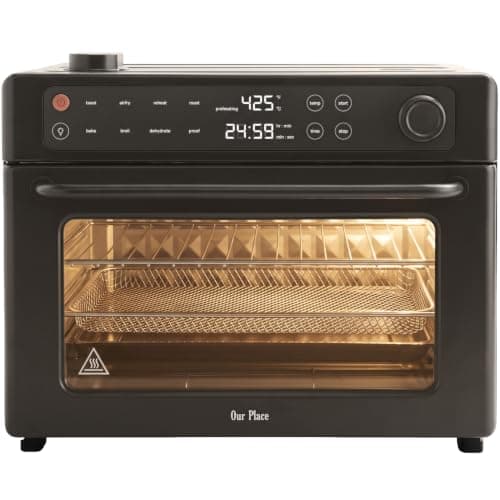
1,700 W
Our Place Wonder Oven Pro (8-in-1, 28 L)
The standard Wonder Oven with both of its published limits removed. Our Place prints 1700W / 120V, an 80–450°F range and a 30-second-to-24-hour timer, which makes it the only oven here whose own spec sheet permits proofing, dehydrating and an all-day cook. The catch is that its stated 28-liter capacity does not agree with the interior dimensions printed beside it.
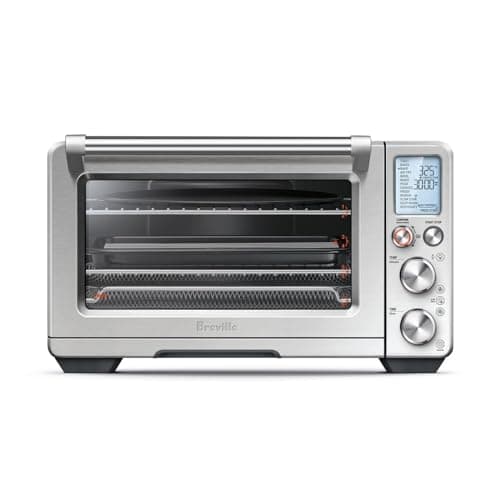
1,800 W
Breville Joule Oven Air Fryer Pro (BOV950BSS)
Mechanically the Smart Oven Air Fryer Pro with a radio in it. Every figure Breville publishes for the two — 1,800 watts, a cubic foot of interior, 21.4 x 17.3 x 12.7 inches, 38.89 pounds, 80 to 480°F, thirteen functions — is identical, and the premium buys the Joule app, Autopilot guided cooking and voice control. Nothing about the heat changes.
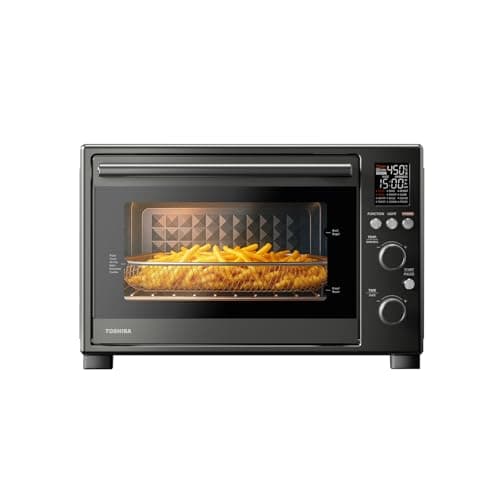
Wattage not published
TOSHIBA ChefFry Air Fryer Toaster Oven Combo, 12-in-1
A big-cavity twelve-function oven sitting just above the two-hundred mark. It competes on interior room rather than on documentation, and it wins that comparison against most of what sits beside it.
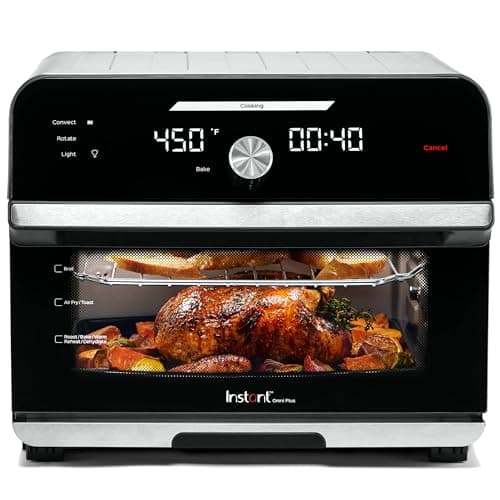
Wattage not published
Instant Pot Omni Plus 19QT/18L Toaster Oven Air Fryer, 10-in-1
One of the few ovens here that publishes its interior in liters, which makes it the easiest in the category to compare on paper. The rotisserie is a genuine mechanical addition rather than a relabeled fan setting.
#ad · As an Amazon Associate we earn from qualifying purchases.
Questions
Frequently asked
Can you dehydrate food in a countertop convection oven?
What temperature should a countertop oven be for dehydrating?
Does a Dehydrate setting mean the oven can dehydrate?
Is it expensive to run an oven for ten hours?
Should the fan be on when dehydrating?
Keep reading
Related
- Ovens with a dehydrate functionThe ranked version, with the same documentation gap stated.
- Our Place Wonder Oven Pro reviewThe 80 degree floor and the 24-hour timer, in full.
- Breville BOV950 reviewThe other oven here with a published 80 degree floor.
- Convection oven electricity useWhat a long low cook costs, with the rate exposed.
- The best countertop ovens for breadThe other job that needs a published low floor.
Receipts
Sources
- Our Place — Wonder Oven Pro product page, specifications block (model APL.LWP.ESN)
- Our Place — Wonder Oven product page
- Breville — Joule Oven Air Fryer Pro (BOV950) product page
- Instant Brands — Instant Pot Omni Plus 18L Air Fryer Toaster Oven product page
- Nuwave — Bravo XL Pro Smart Oven & Air Fryer product page (specifications table)
- Nuwave — Bravo XL Pro owner's manual, model 20813 [PDF]
- Hamilton Beach — Sure-Crisp Air Fryer Toaster Oven, 4 Slice, model 31403 product page
We have not cooked in these ovens and we do not pretend to have. Specifications come from the manufacturer's own published documents; electricity rates come from the US Energy Information Administration; prices come from the live Amazon API. Where a figure is not published, the page says “not published” rather than guessing. Read the full method.